Your phone is with you everywhere—at home, work, and even outdoors. But have you ever worried about what happens if it gets wet or covered in dust?
These common threats can silently damage your device and cost you a lot. Imagine losing important photos, messages, or contacts because of water or dust. The good news? You don’t have to risk it. You’ll discover simple and effective ways to protect your phone from water and dust, keeping it safe and working perfectly for a long time.
Keep reading—your phone’s safety depends on it.

Credit: www.amazon.com
Common Risks From Water And Dust
Phones face many risks from water and dust every day. These elements can enter your device easily. They cause many problems that affect how your phone works. Understanding these risks helps protect your phone better. It also saves you money on repairs or replacements.
Effects On Phone Components
Water can short-circuit the phone’s internal parts. Dust can block tiny openings and ports. Both can cause the phone to overheat. They may damage the battery and screen. Sensors and cameras can stop working properly. Over time, corrosion can ruin metal contacts inside. This lowers the phone’s performance and lifespan.
Typical Damage Scenarios
Dropping a phone in water is common. Rain can seep into unprotected phones. Dusty environments like construction sites cause buildup. Food or drink spills add moisture and particles. Using a phone with dirty ports can worsen damage. Small cracks in the phone let water and dust enter easily.
Choosing Water And Dust Resistant Phones
Protecting your phone from water and dust starts with choosing the right device. Some phones are built to handle spills, splashes, and dust better than others. These phones have special features that help keep harmful particles out. Picking a water and dust resistant phone can save you money and stress.
Not all phones offer the same level of protection. Knowing how to find the best one will help you make a smart choice. You want a phone that fits your needs and lifestyle. Understanding water and dust resistance is the first step.
Ip Ratings Explained
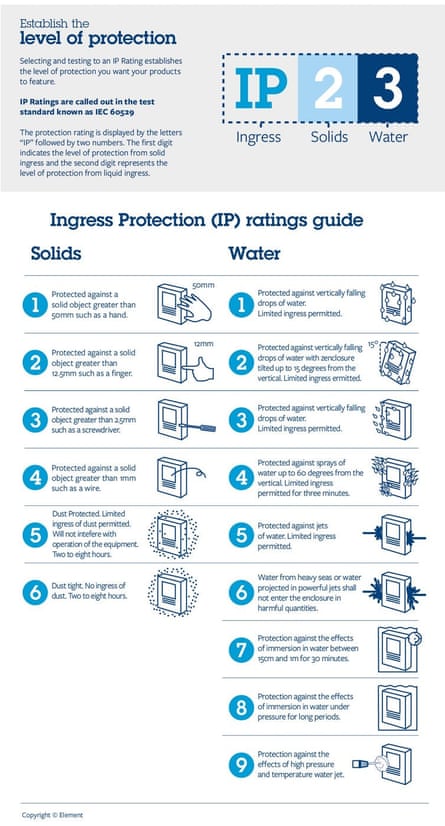
IP ratings show how well a phone resists dust and water. IP stands for Ingress Protection. The rating has two numbers. The first number tells how dust-proof the phone is. The second number tells how water-resistant it is. The higher the number, the better the protection.
For example, an IP68 rating means the phone is dust tight and can handle being underwater for a short time. A phone with IP67 can resist dust and can survive in water up to one meter deep for 30 minutes. Always check the IP rating before buying.
Top Models With High Resistance
Many brands offer phones with strong water and dust resistance. Some popular models include those with IP68 ratings. These phones handle rain, spills, and dust well. They are suitable for outdoor use and rough conditions.
Examples include flagship models from major brands known for durability. These phones often come with other useful features too. Choosing a model with high resistance helps protect your investment.
Protective Accessories To Use
Protecting your phone from water and dust is easier with the right accessories. These tools create a barrier that stops damage. Using protective gear helps keep your phone safe and working well longer.
Waterproof Cases And Covers
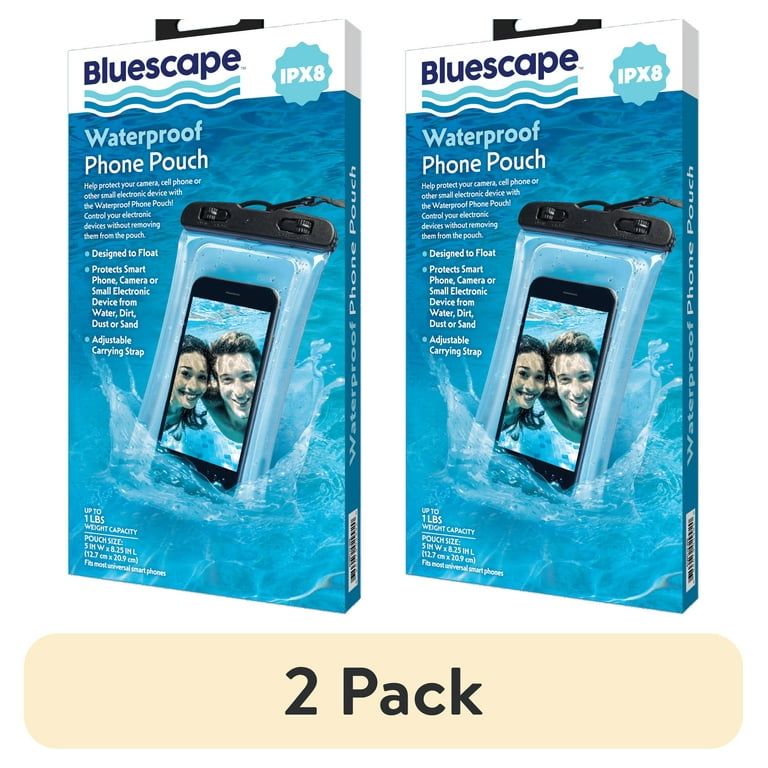
Waterproof cases are essential for phones near water. They seal the phone tightly to block water entry. Many cases also protect against shocks and drops. Choose a case that fits your phone model exactly. This ensures full protection without blocking buttons or ports. Some cases allow you to use the touchscreen underwater. These are perfect for outdoor or beach use. Waterproof cases give peace of mind in wet conditions.
Dustproof Pouches And Screen Protectors
Dustproof pouches keep dirt and sand away from your phone. They close securely and are easy to carry. Use them during outdoor activities or dusty environments. Screen protectors guard your phone’s display from scratches and dust buildup. Many protectors also reduce glare and fingerprints. Choose a screen protector that fits well and feels smooth. These accessories keep your phone clean and clear for better use.
Everyday Habits To Minimize Exposure
Protecting your phone from water and dust starts with daily habits. Small actions can greatly reduce damage risks. Careful handling and regular cleaning keep your device safe and working well. These habits help extend your phone’s life without extra cost or effort.
Safe Handling Near Water
Keep your phone away from sinks, pools, and wet surfaces. Avoid using it with wet hands. Do not place it on edges where it can fall into water. Use a waterproof pouch if you must be near water. Turn off the phone if it gets wet and dry it quickly.
Cleaning And Maintenance Tips
Clean your phone regularly to remove dust and dirt. Use a soft, dry cloth or a slightly damp microfiber cloth. Avoid harsh chemicals that can damage the screen or case. Keep charging ports and buttons free from debris. Store your phone in a clean, dry place when not in use.
Emergency Steps After Exposure
Phones can get wet or dusty suddenly. Acting fast can save your device. Emergency steps help stop damage and keep your phone working. Follow these simple actions right after exposure.
Immediate Actions For Wet Phones
Turn off your phone quickly. Powering off stops short circuits. Remove any case or cover. Take out the SIM card and memory card. Use a soft cloth to wipe water gently. Avoid shaking or blowing air inside. Place the phone in a dry, cool area. Use silica gel packets or uncooked rice to absorb moisture. Keep the phone off for at least 24 hours. Do not use a hairdryer or heat source.
Dealing With Dust Intrusion
Turn off the device to prevent damage. Use a soft brush to remove dust from ports. Blow air gently with a can of compressed air. Avoid inserting sharp objects into openings. Clean the screen and body with a microfiber cloth. Check all buttons and connectors for dust. If dust remains inside, seek professional cleaning. Avoid using the phone until dust is removed.
Credit: www.theguardian.com
Advanced Protection Techniques
Protecting phones from water and dust requires more than just cases. Advanced protection techniques add extra layers of defense. These methods help keep your phone safe in harsh environments. They work well alongside everyday protective habits.
Applying Protective Coatings
Protective coatings create a thin, invisible shield on your phone. These coatings repel water and dust effectively. Some sprays use nano-technology to seal tiny gaps in the phone’s surface. The coating dries fast and does not change the phone’s look. It helps prevent damage from spills and dust particles. Reapplying the coating every few months keeps the protection strong.
Using Desiccants And Sealants
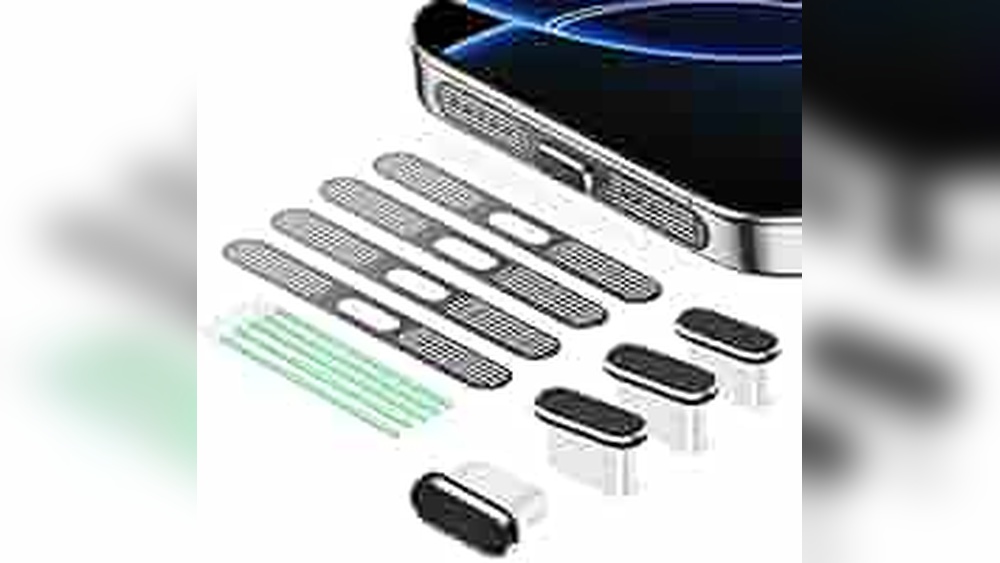
Desiccants absorb moisture that can harm your phone’s inside parts. Small silica gel packs placed near the phone reduce humidity. Sealants protect openings like charging ports and headphone jacks. These sealants are flexible and easy to apply. They block water and dust from entering sensitive areas. Using desiccants and sealants together improves overall phone safety.
Credit: www.walmart.com
Frequently Asked Questions
How Can I Waterproof My Phone Easily?
Use a waterproof case or pouch designed for your phone model. Avoid exposing your phone to water intentionally. Keep charging ports covered and dry to prevent water entry. Regularly check seals and replace damaged cases to maintain protection.
What Are The Best Dust-proof Phone Accessories?
Choose cases with tight-fitting covers for ports and buttons. Look for dust-resistant screen protectors and covers. Clean your phone and accessories regularly to remove dust particles. Use lens covers and protective films to shield cameras and speakers.
Can Phone Insurance Cover Water And Dust Damage?
Some phone insurance plans cover water and dust damage. Check your policy details before purchasing. Ensure accidental damage protection is included for full coverage. File claims promptly with proof of damage and repair estimates.
Is Ip Rating Important For Water And Dust Protection?
Yes, IP ratings indicate a phone’s resistance to water and dust. Higher IP ratings mean better protection. Look for phones with IP67 or IP68 ratings for strong defense. Always verify the rating before exposing your phone to harsh conditions.
Conclusion
Protecting your phone from water and dust keeps it working longer. Use cases and screen protectors to guard against damage. Avoid placing your phone near water or dusty places. Clean your phone regularly with a soft cloth. Small steps can save you from big repairs.
Stay careful and your phone will stay safe. Taking simple actions helps keep your device in good shape. Remember, prevention is always better than fixing problems later.