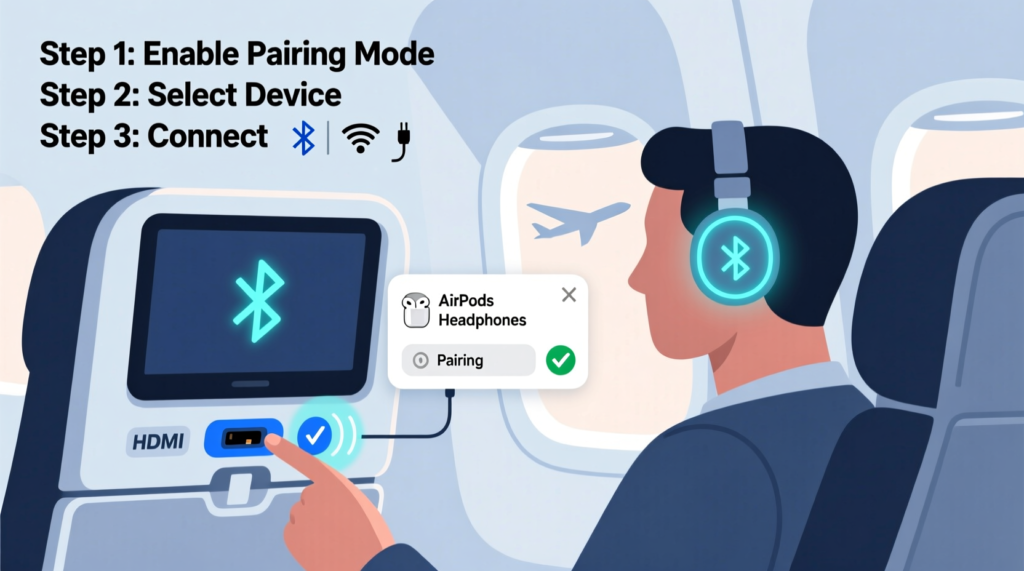
Knowing how to connect Bluetooth headphones to airplane entertainment can make a long U.S. flight much more comfortable. The key point is simple: the steps depend on the aircraft and its entertainment system. Some newer systems offer built-in Bluetooth, while older systems may still need a Bluetooth transmitter.
The most common mistake is assuming that every airplane screen works like a phone or laptop. It does not. The seat screen may have Bluetooth built in, may hide the setting in an audio menu, or may offer only a standard headphone jack. Once you know which setup you have, the process is usually quick.
For the smoothest trip, charge your headphones before leaving home and keep a small wired pair or Bluetooth transmitter in your carry-on. That simple backup can save you from losing access to movies, shows, podcasts, or music when the onboard system has limited wireless support.
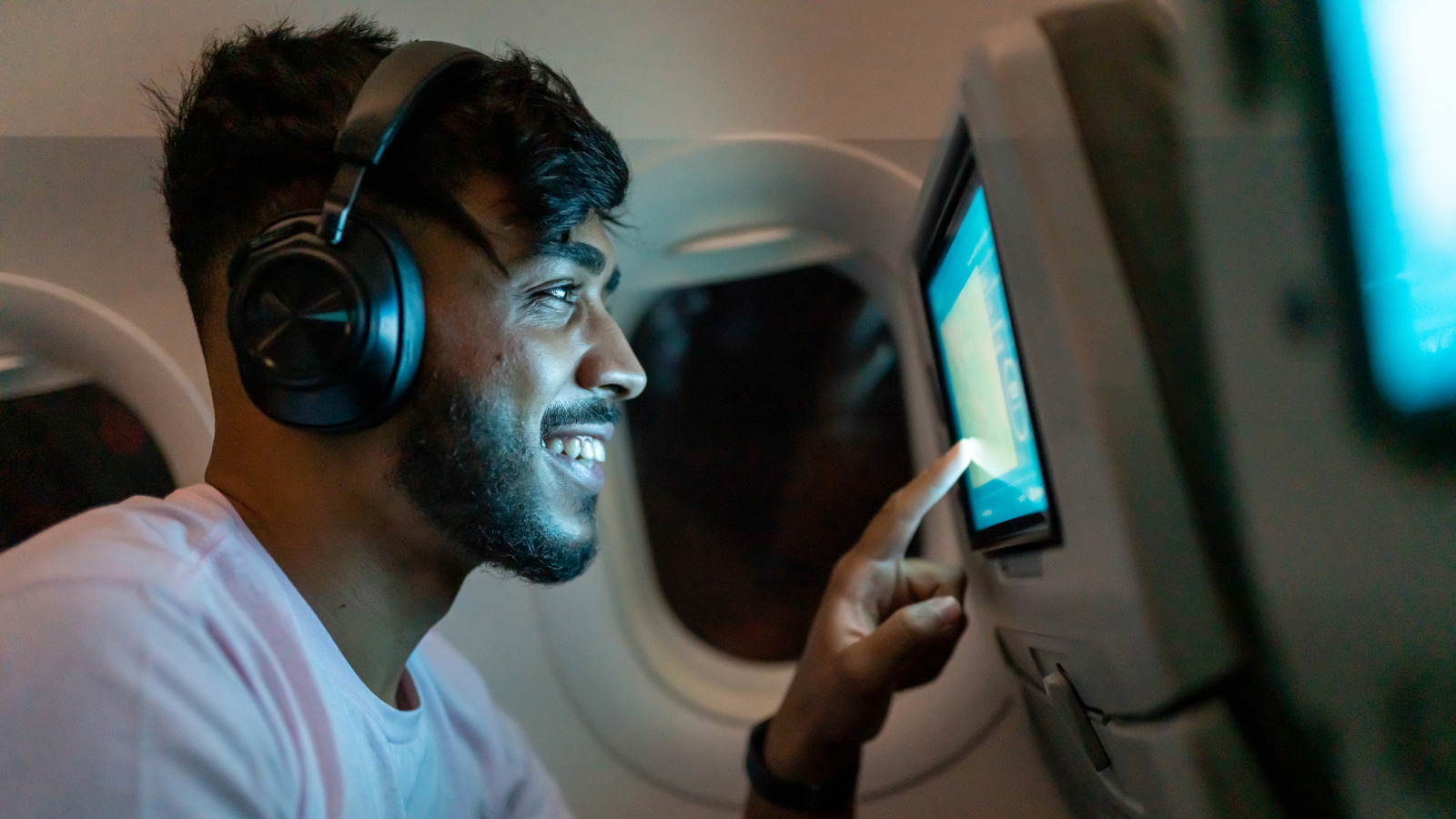
Check whether the airplane entertainment system supports Bluetooth
Before you try to pair anything, check the seat screen. Look for a Bluetooth symbol, a Bluetooth headphones option, or an audio setting that lets you add a wireless device. On some systems, the option appears on the main menu. On others, it appears only after you open the audio or settings menu.
If you cannot find a Bluetooth option, do not assume your headphones are faulty. The aircraft may use a system that supports only wired headphones. In that case, you will need a Bluetooth transmitter that plugs into the airplane’s audio output.
Airlines can also use different entertainment systems across their fleets. Two flights from the same airline may have different screens and different audio features. That is why checking the actual screen on your flight is more useful than relying only on the airline name.

- ✦ Look for Bluetooth
Check the screen’s settings, audio menu, or home page for a Bluetooth option.
- ✦ Check the audio jack
If there is no Bluetooth menu, look for a standard headphone socket near the screen or seat.
- ✦ Check the aircraft setup
The available features can vary by aircraft, cabin, and entertainment system.
Why Bluetooth does not work on every plane
An airplane seat screen needs special hardware and software to send sound over Bluetooth. Older entertainment systems may have no Bluetooth transmitter at all. A normal Bluetooth headset cannot create that wireless connection by itself.
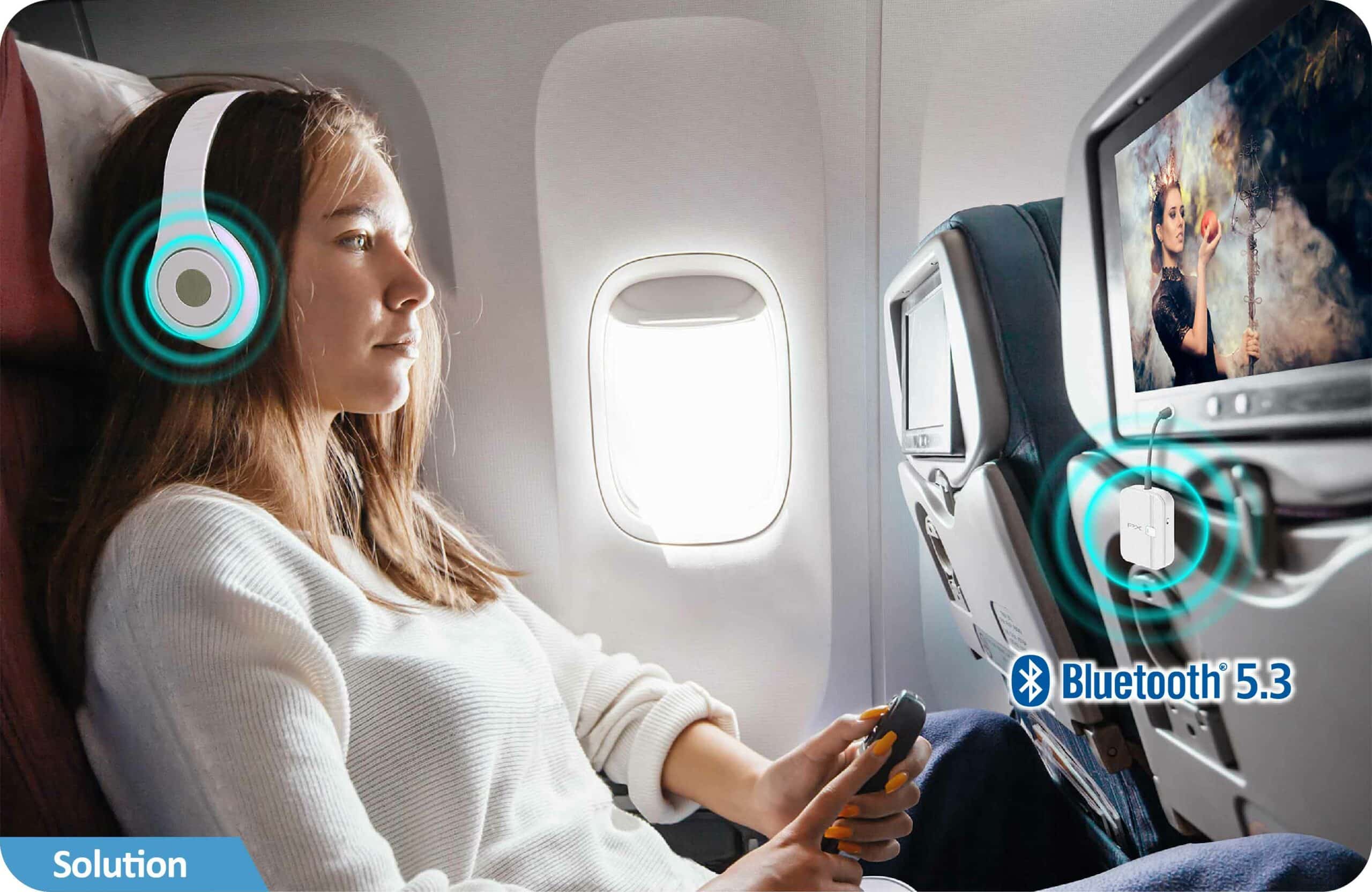
This is why a Bluetooth transmitter can help. It takes the audio signal from the seat’s headphone jack and sends that sound to your wireless headphones.
- ✦ Built-in Bluetooth
The screen sends audio directly to your headphones. No extra transmitter is needed.
- ✦ Wired-only screen
The screen sends audio through a headphone jack. A Bluetooth transmitter can convert that wired signal into a wireless one.
How to connect Bluetooth headphones to airplane entertainment directly
If your airplane screen has built-in Bluetooth, the connection is much like pairing headphones with a phone. Keep your headphones close to the screen and make sure they are not already connected to another device.
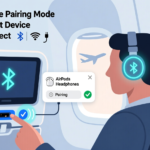
Next, open the Bluetooth or wireless audio menu on the entertainment screen. Put your headphones into pairing mode, select their name on the screen, and wait for the connection message. Once paired, start a movie or other program and check that sound comes through your headphones.
The exact menu names can differ. Some systems may call the feature Bluetooth Audio, Wireless Headphones, Pair Headphones, or a similar name. Follow the prompts shown on the screen rather than looking for one exact menu label.
- ✦ Step 1: Charge the headphones
Make sure your headphones have enough battery for the flight.
- ✦ Step 2: Disconnect other devices
Turn off Bluetooth on a nearby phone, tablet, or laptop if your headphones keep reconnecting to it.
- ✦ Step 3: Open Bluetooth on the screen
Find the wireless audio or Bluetooth menu in the airplane entertainment system.
- ✦ Step 4: Enter pairing mode
Use your headphones’ pairing button or controls until the device is ready to connect.
- ✦ Step 5: Select the headphones
Choose your headphones from the list shown on the seat screen.
- ✦ Step 6: Test the sound
Play a short section of content and confirm that the audio comes through the headphones.
Keep your phone from taking the connection
Many headphones try to reconnect to the last device they used. If your phone is nearby, it may grab the connection before the airplane screen can pair with the headphones.
If pairing fails, temporarily turn off Bluetooth on nearby devices. Then put the headphones back into pairing mode and try again.
- ✦ Use a clean connection
Temporarily disable Bluetooth on nearby devices that may compete for the headphones.
- ✦ Re-enter pairing mode
Simply turning the headphones on may not be enough. Use the full pairing process again when needed.
How to connect Bluetooth headphones to airplane entertainment with a transmitter
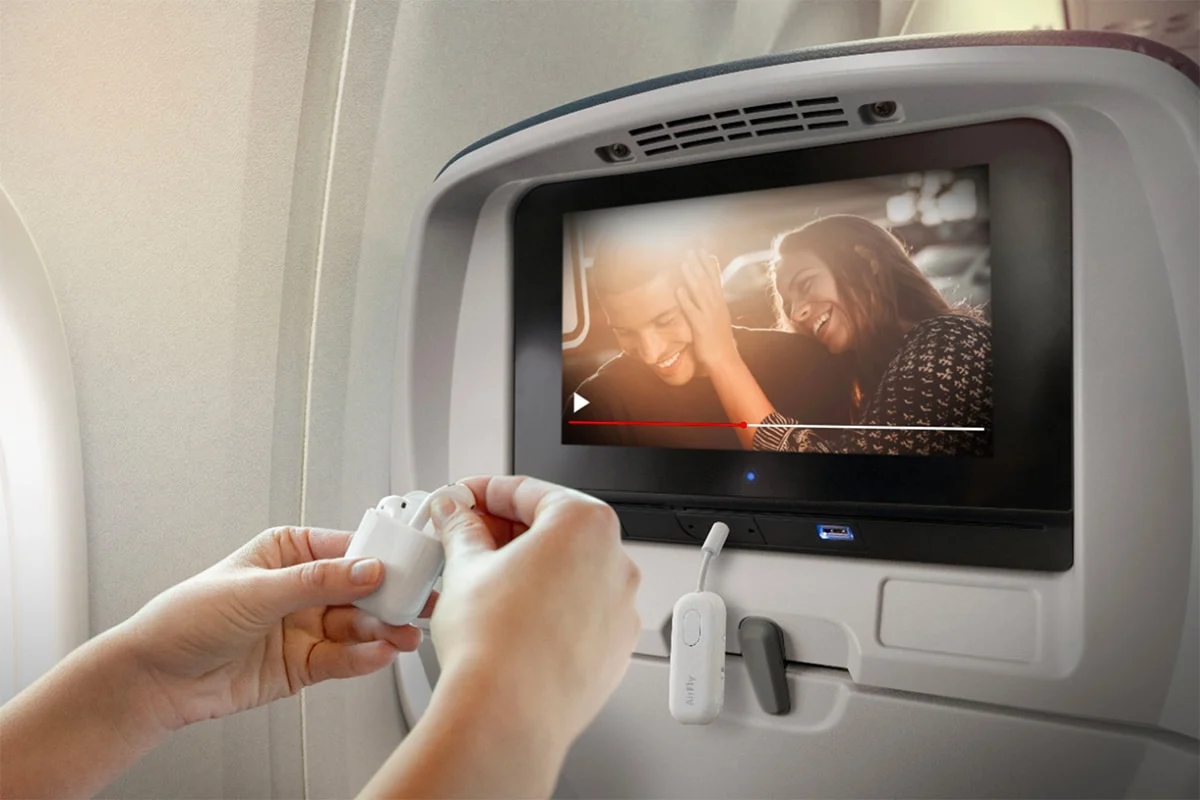
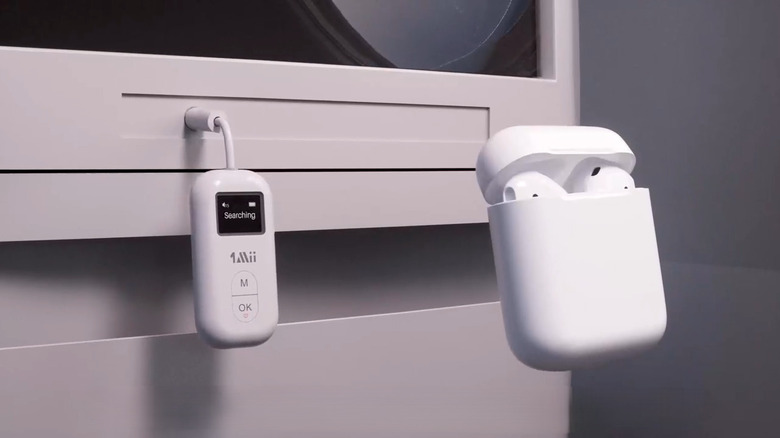
If the airplane screen does not have Bluetooth, use a Bluetooth audio transmitter. This small device plugs into the seat’s headphone jack and sends the screen’s audio to your Bluetooth headphones.
A typical setup is simple. Plug the transmitter into the airplane’s audio jack, turn it on, put both the transmitter and headphones into pairing mode, and wait for them to connect. Once the connection is active, the movie or other entertainment should play through your headphones.
A transmitter is especially useful for travelers who prefer wireless headphones but often fly on aircraft with older entertainment systems. Choose a model made for airplane audio, and check whether it supports the connector used on your flights.

- ✦ Plug in the transmitter
Connect the transmitter to the seat’s headphone output. Some aircraft use a single standard jack, while others may use a dual-plug setup.
- ✦ Turn on the transmitter
Follow the transmitter’s instructions and activate its pairing mode.
- ✦ Put headphones in pairing mode
Make sure the headphones are ready to connect to a new Bluetooth source.
- ✦ Wait for pairing
Give the two devices a short time to find each other and connect.
- ✦ Start the entertainment
Play content and adjust the volume on the headphones or seat system as needed.
What type of Bluetooth transmitter do you need?
Look for a transmitter that accepts the audio connector used by airplane entertainment systems. A compact model with a built-in battery is useful because many airplane seats do not provide a convenient USB power source near the audio jack.
Some transmitters can connect to two pairs of headphones at once. This can be useful for couples or parents traveling with a child, but dual-device support can sometimes affect battery life or connection stability.
- ✦ Battery life
Pick a transmitter with enough battery life for your expected flight and carry a charging cable.
- ✦ Connector support
Confirm that the transmitter works with the audio jack on the aircraft you expect to use.
- ✦ Two-headphone support
Choose this feature only if you need two people to hear the same entertainment source.
How to pair AirPods and other popular Bluetooth headphones on a plane
AirPods, wireless earbuds, and over-ear Bluetooth headphones follow the same basic idea. The headphones must be discoverable, and the airplane screen or transmitter must be able to find them.
For AirPods, open the charging case and use the pairing control as directed for your model. For other headphones, press and hold the pairing button or use the method listed in the headphone manual. Then select the device from the airplane screen or transmitter.
If your earbuds support automatic device switching, it can help to disconnect them from your phone before pairing them with the aircraft system. This avoids a common problem where the earbuds connect to the phone instead of the seat screen.

- ✦ AirPods
Place the AirPods in pairing mode, then select them from the airplane’s Bluetooth menu when supported.
- ✦ Over-ear headphones
Use the headphone’s Bluetooth pairing button or control sequence, then select the headphones on the screen.
- ✦ Wireless earbuds
Make sure both earbuds are ready to pair and that they are not still linked to a phone or tablet.
Can you use noise-canceling headphones?
Yes. Active noise cancellation can work while you listen to airplane entertainment through Bluetooth. It can also help reduce steady cabin noise, which may make dialogue easier to hear at a lower volume.
Noise cancellation does not create the Bluetooth connection. You still need a compatible airplane Bluetooth system or a separate transmitter when the seat screen has no wireless audio support.
- ✦ Bluetooth
Handles the wireless audio connection between the source and headphones.
- ✦ Noise cancellation
Reduces outside sound but does not replace Bluetooth pairing or a wired connection.
Troubleshooting Bluetooth headphone pairing on an airplane
If your headphones do not connect, start with the simplest checks. Confirm that the headphones have battery power, that they are in pairing mode, and that the airplane system actually supports Bluetooth.
If the headphones appear in the device list but refuse to connect, cancel the pairing attempt and start again. Turning the headphones off and back on can also clear a temporary connection problem.
When a transmitter is involved, check every part of the chain. The transmitter must receive audio from the seat jack, stay powered on, and maintain a Bluetooth connection with your headphones.
- ✦ The headphones do not appear
Put the headphones into pairing mode again and make sure another nearby device is not already connected.
- ✦ The headphones connect but there is no sound
Check the seat screen volume, headphone volume, transmitter connection, and audio jack.
- ✦ The connection keeps dropping
Move the headphones closer to the screen or transmitter and check the battery level of both devices.
- ✦ The transmitter will not pair
Reset the transmitter’s pairing state and repeat the process with the headphones nearby.
- ✦ Only one side works
For earbuds, place both earbuds in their case, reset their connection if needed, and pair them again.
- ✦ The screen has no Bluetooth menu
Use a compatible Bluetooth transmitter or switch to wired headphones.
What to do when the audio is delayed
Bluetooth audio can sometimes have a small delay. This may be more noticeable when people are speaking on screen because the lips and sound may not match perfectly.
The amount of delay depends on the headphones, transmitter, and entertainment system. If the delay is distracting and the system does not offer a way to correct it, wired headphones may provide a better match.
- ✦ Try a different transmitter
A transmitter with better latency support may reduce the delay in some setups.
- ✦ Use a wired backup
A wired connection avoids Bluetooth transmission delay.
Airplane Bluetooth headphones: important limits to know
Learning how to connect Bluetooth headphones to airplane entertainment is only part of the job. You also need to know what the aircraft system can and cannot do. Bluetooth support, pairing limits, audio quality, and available connectors can vary from one entertainment system to another.
Some systems may allow only one Bluetooth headset at a time. Others may support two devices. Some may require you to pair again after the entertainment system restarts. These limits are normal for specialized onboard equipment.
Bluetooth also does not mean that every feature on your headphones will work. Audio playback is the main goal. Features such as microphone use, phone calls, voice assistants, or advanced app controls may not work through the airplane entertainment system.
- ✦ Bluetooth support varies
Not every aircraft entertainment system can send audio over Bluetooth.
- ✦ Pairing limits vary
An onboard system may support one or more wireless headphones, depending on its design.
- ✦ Headphone features may be limited
The seat screen is an audio source, not a full smartphone, so some headphone features may not work.
- ✦ Wired audio remains useful
A wired connection can serve as a simple fallback when Bluetooth is unavailable or unreliable.
Are Bluetooth headphones allowed on airplanes?
Bluetooth headphones are commonly used during flights, but passengers must follow the airline’s rules and crew instructions. Electronic device rules can also change during different parts of a flight.
Keep the headphones off or follow crew directions when required. If the airline asks you to stop using a device, follow that instruction even if the entertainment system supports Bluetooth.
- ✦ Follow crew instructions
Crew directions always take priority over your preferred headphone setup.
- ✦ Use airplane mode as needed
Many phones can keep Bluetooth active while airplane mode is on, but follow the specific instructions given by the airline.
Prepare before your flight for a smoother Bluetooth setup
The easiest way to avoid pairing trouble is to prepare before you reach the gate. Charge your headphones and transmitter, learn how to put your headphones into pairing mode, and pack any required cables in your carry-on.
If your airline or aircraft is known to offer seatback Bluetooth, you may not need an adapter. If you are not sure, a small transmitter can provide a useful backup, especially for long flights where you plan to watch several hours of entertainment.
It is also smart to keep wired headphones available. They take little effort to use and can solve problems caused by unsupported Bluetooth, dead batteries, failed pairing, or audio delay.

- ✦ Charge everything
Fully charge your headphones and transmitter before leaving for the airport.
- ✦ Pack the right cable
Bring the cable or connector needed by your transmitter and keep it easy to reach.
- ✦ Test pairing at home
Practice putting the headphones and transmitter into pairing mode before your trip.
- ✦ Carry wired headphones
A basic wired pair provides a dependable backup for older entertainment systems.
- ✦ Keep the adapter accessible
Do not bury your transmitter at the bottom of your carry-on if you may need it during boarding.
A simple airplane headphone packing checklist
For most travelers, the best setup is small and simple. Pack your Bluetooth headphones, charging cable, and transmitter if you use one. Add a wired backup if you want the lowest risk of losing access to seatback audio.
Before boarding, make sure you know which device should connect to which source. This saves time when you are seated and helps avoid pairing your headphones with your phone when you really need them connected to the entertainment system.
- ✦ Wireless headphones
Your main listening device.
- ✦ Bluetooth transmitter
Useful when the airplane screen has no built-in Bluetooth.
- ✦ Charging cable
Keeps your headphones or transmitter ready for longer trips.
- ✦ Wired headphones
A simple backup for unsupported or failed Bluetooth connections.