If you are asking why ceiling fan makes noise, start with the sound itself. A soft hum may be normal for some fans. A new rattle, click, scrape, or loud buzz needs more attention. The change in sound is often more useful than the sound level alone.
In U.S. homes, ceiling fans run for long hours in bedrooms, living rooms, kitchens, and porches. Dust, vibration, seasonal temperature changes, and years of use can loosen parts over time. The good news is that many noisy ceiling fan problems have simple causes.
A safe check can often narrow the problem down in a few minutes. Do not work on a moving fan or open its electrical housing while power is on. If the fan wobbles badly, smells hot, sparks, or makes a harsh electrical buzz, stop using it and get professional help.
Why Ceiling Fan Makes Noise: The Most Common Causes
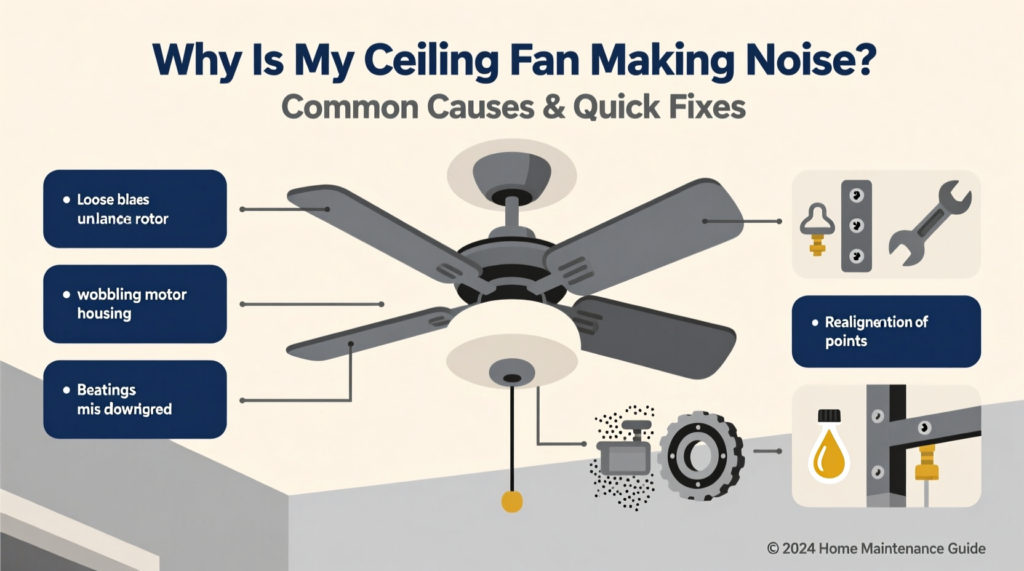
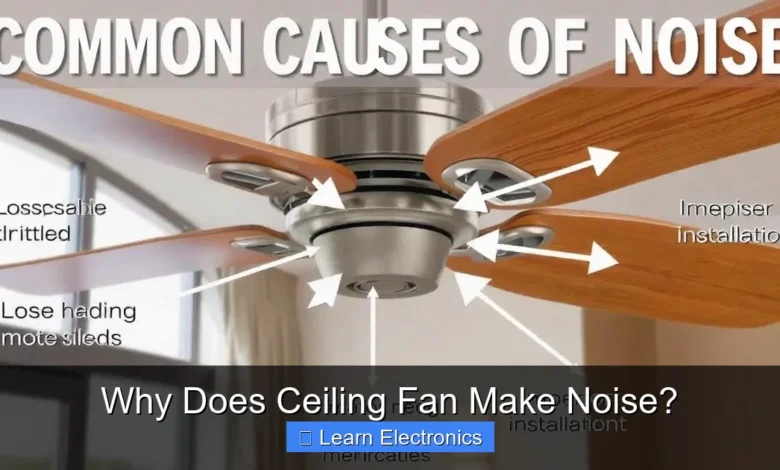
The main reason why ceiling fan makes noise is vibration. A fan has several moving parts, so even a small loose screw can create a sound that grows as the fan speed rises. Dust, blade wear, a weak mount, or motor problems can add to the noise.
Start with simple causes before assuming the motor has failed. Check the blades, blade arms, light kit, pull chain, canopy, and visible screws. These parts can vibrate against each other and create clicks or rattles.
- ✦ Loose screws
Loose blade screws, light-kit screws, or housing screws can cause a steady rattle or clicking sound.
- ✦ Unbalanced blades
Blades that differ in weight, angle, or position can make the fan shake and create a low rumble.
- ✦ Dust buildup
A thick layer of dust can add weight to blades and make a fan less balanced.
- ✦ Worn motor parts
Aging bearings or other motor parts can cause humming, grinding, or rough sounds.
- ✦ Loose mounting
A fan that is not firmly attached to the proper electrical box or support can vibrate against the ceiling.
- ✦ Electrical noise
A hum or buzz can come from the motor, speed control, dimmer, remote receiver, or wiring.
Why a New Ceiling Fan May Make Noise
A new fan can make noise if parts were not tightened during installation. It can also happen when the fan is mounted to the wrong type of ceiling box. A ceiling fan needs a box and support rated for fan use, not just a standard light fixture box.
Installation errors can also cause blade wobble. Check the installation guide before making changes. If the fan mount feels loose at the ceiling, have a qualified professional inspect it.
- ✦ Installation fit
Make sure the fan, bracket, and ceiling box match the manufacturer’s instructions.
- ✦ Blade alignment
Check that each blade sits at the same angle and that the blade arms are secure.
What Different Ceiling Fan Sounds Mean
The sound can give you a useful clue. A clicking noise often comes from a loose part or something that touches the fan as it turns. A rattle often points to vibration, while a grinding sound may point to a motor or bearing problem.
If you are still wondering why ceiling fan makes noise after tightening visible screws, listen at each speed. A noise that appears only at high speed may relate to blade balance or vibration. A noise that stays at every speed may point to a motor or electrical part.
- ✦ Clicking
Look for a loose screw, blade arm, pull chain, light cover, or wire that may move with the fan.
- ✦ Rattling
Check loose hardware, the light fixture, canopy, blade holders, and fan mounting.
- ✦ Humming
A mild motor hum can occur during normal operation, but a new or loud hum may need inspection.
- ✦ Buzzing
A strong electrical buzz can point to a control, motor, or wiring problem and should not be ignored.
- ✦ Grinding
Grinding can signal worn motor parts or bearings and may require repair or fan replacement.
- ✦ Scraping
A blade or housing may be rubbing against another part. Turn the fan off before inspecting it.
Why Ceiling Fan Makes Noise at High Speed
High speed creates more airflow and more vibration. If a blade is slightly out of balance, the vibration can become much louder at the highest setting. The same can happen when a blade arm is bent or a mounting part is loose.
Try the fan at low, medium, and high speed without touching it. If the noise grows sharply with speed, inspect blade balance and visible hardware first.
- ✦ Speed-related vibration
A louder sound at high speed often points to blade balance, loose hardware, or mounting vibration.
- ✦ Sudden change
A noise that suddenly appears after years of quiet use deserves a closer inspection.
How to Fix a Noisy Ceiling Fan Safely
Once you know why ceiling fan makes noise, the repair is often simple. Begin with the fan turned off. For any work that involves wires, the motor housing, or electrical parts, switch off the circuit breaker and use a safe electrical check before touching the wiring.
Do not stand on a chair to reach a ceiling fan. Use a stable ladder with another person nearby when needed. If you cannot safely reach the fan, let a qualified professional handle the inspection.
- ✦ Clean the blades
Remove dust from both sides of each blade. Use a soft, dry or slightly damp cloth as allowed by the fan maker.
- ✦ Tighten visible hardware
With the fan off, check blade screws, blade-arm screws, and other accessible fasteners. Do not over-tighten them.
- ✦ Check the light kit
If the fan has a light, check the globe, shade, and visible mounting parts for movement.
- ✦ Check blade balance
Look at the blade tips from a safe position. They should appear to follow the same path as the fan turns.
- ✦ Use a balancing kit
If the blades are secure but the fan still wobbles, a manufacturer-approved balancing kit may help.
- ✦ Inspect the mount
A loose fan mount needs attention. Do not rely on surface screws if the ceiling box or support itself is not rated for a fan.
How to Balance Ceiling Fan Blades
Blade balance is a common fix for a fan that shakes or rattles. First, clean all blades and check that the screws are tight. Then compare the blade tips while the fan is off to see if one blade sits higher or lower.
If the fan maker supplied a balancing kit, follow its instructions. A small balance weight can correct a slight difference. If the fan still shakes after balancing, the blade, blade arm, mounting system, or motor may need inspection.
- ✦ Clean first
Dust can change blade weight and make a balance problem worse.
- ✦ Compare blade height
Look across the blade tips from a safe position and check for an obvious height difference.
- ✦ Use the right kit
Use a balancing kit that fits the fan and follow the maker’s directions.
Why Ceiling Fan Makes Noise After Cleaning
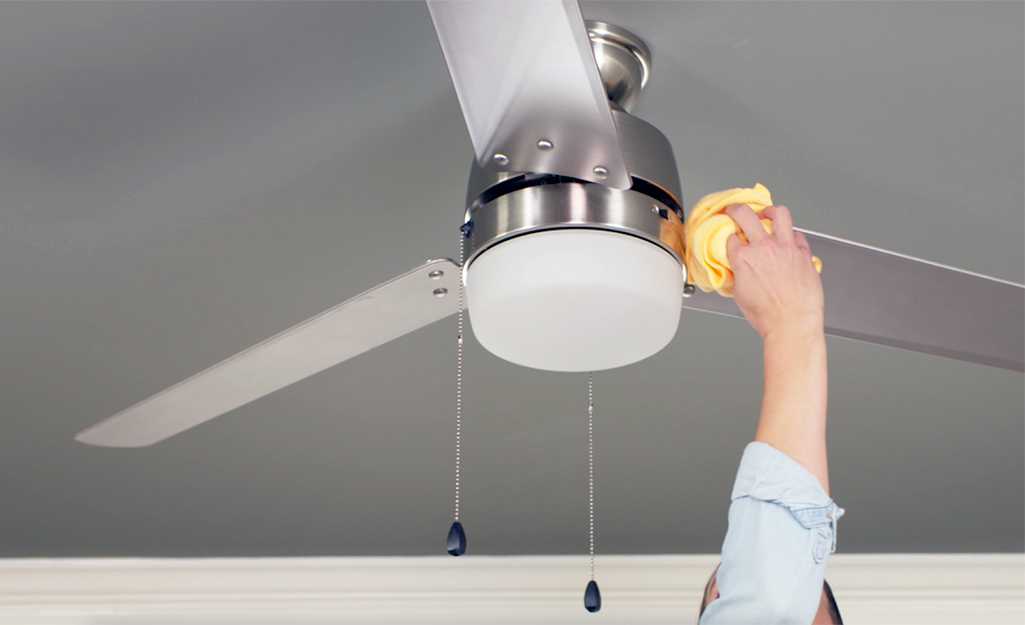
A fan may sound different after cleaning if a blade, cover, or other part moved during the process. A cloth can also catch a blade edge and shift a screw slightly. Check all accessible parts again before assuming the motor has a problem.
Cleaning is still important. Dust can collect on blades and inside nearby areas. Regular cleaning can reduce imbalance and help you spot loose parts before they become a larger problem.
- ✦ Blade screws moved
A screw may loosen or shift while you clean the blade.
- ✦ Cover is loose
A glass globe or decorative cover can rattle if its fastener is not secure.
- ✦ Blade surface changed
Uneven dust removal can briefly change the balance of an older blade set.
- ✦ Cleaning caused contact
A bent blade or arm may start touching a nearby part after being moved.
Why Ceiling Fan Makes Noise but Does Not Wobble
A fan does not need to wobble to make noise. Internal motor parts, a loose light cover, a pull chain, a remote receiver, or a speed control can make sound while the blades look stable.
This is why the type and timing of the sound matter. If the fan is quiet when off but noisy when running, the moving or powered parts become the main areas to consider.
- ✦ Motor hum
Some motor sound is normal, but a sudden increase in hum can point to wear or a control issue.
- ✦ Light fixture noise
A loose globe, shade, or light-kit part can vibrate even when the blades stay balanced.
- ✦ Remote receiver
Some electronically controlled fans can produce a faint sound from the control system.
- ✦ Pull chain
A chain can tap the housing or nearby parts as the fan moves.
When a Ceiling Fan Hum Is Normal
A low, steady motor hum can be normal. Fans use motors and electrical controls, and some sound is part of normal operation. The key concern is a hum that is new, loud, harsh, or paired with heat, smell, sparks, or poor fan performance.
Do not open the motor housing just to find the source of a hum. If basic checks do not solve it, a qualified electrician or fan technician can test the electrical and mechanical parts safely.
- ✦ Mild steady sound
A quiet and stable motor sound may be normal for the fan design.
- ✦ New loud hum
A sudden or strong hum deserves inspection, especially if the fan runs hot or behaves differently.
When a Noisy Ceiling Fan Needs Professional Help
Some causes of why ceiling fan makes noise are not good DIY jobs. Electrical faults, a loose ceiling box, damaged wiring, or a failing motor can create safety risks. A fan that moves at the ceiling or makes a harsh electrical sound should not keep running while you test it.
In the United States, electrical work may also be subject to local codes and permit rules. A licensed electrician can check the fan box, wiring, switch, controls, and connections. Follow the fan maker’s manual and local requirements.
- ✦ Burning smell
Turn the fan off and disconnect power if safe to do so. A burning smell can signal overheating or an electrical fault.
- ✦ Sparks or smoke
Stop using the fan and seek professional electrical help.
- ✦ Loose ceiling mount
Do not keep running a fan that appears loose at the ceiling.
- ✦ Grinding motor
Persistent grinding may indicate worn internal parts that need professional repair or replacement.
- ✦ Hot motor housing
Unusual heat, especially with a smell or change in performance, calls for inspection.
- ✦ Electrical buzzing
A strong buzz from the motor, switch, control, or wiring should be checked by a qualified professional.
Signs You Should Stop Using the Fan
A noisy fan is not always dangerous, but some signs need quick action. Stop using the fan if it sparks, smokes, smells burned, shakes severely, or appears to pull away from the ceiling.
Do not try to solve an electrical problem by adding oil, changing wires, or bypassing a control. Use the manufacturer’s instructions and get professional help when the problem involves wiring or the fan’s support.
- ✦ Severe wobble
Strong movement can place stress on the fan and its mounting system.
- ✦ Electrical symptoms
Smoke, sparks, burning odor, or a strong electrical buzz are reasons to stop and seek help.
How to Prevent Ceiling Fan Noise
The easiest way to deal with why ceiling fan makes noise is to prevent small problems from growing. Clean the blades on a regular schedule and check accessible screws from time to time. Pay extra attention after moving furniture, cleaning the fan, or changing a light kit.
Good installation also matters. Use the correct fan-rated ceiling box and follow the fan maker’s instructions. Avoid forcing a loose part into place, and do not add oil unless the manufacturer specifically says the motor needs it.

- ✦ Clean the fan
Keep blades and accessible parts free from heavy dust.
- ✦ Check visible screws
Look for loose blade, light-kit, and housing hardware during routine cleaning.
- ✦ Watch for wobble
A new wobble can be an early sign of blade or mounting trouble.
- ✦ Use the correct controls
Use the speed control or remote system approved for the fan.
- ✦ Follow the manual
The manufacturer’s instructions take priority for lubrication, parts, installation, and maintenance.